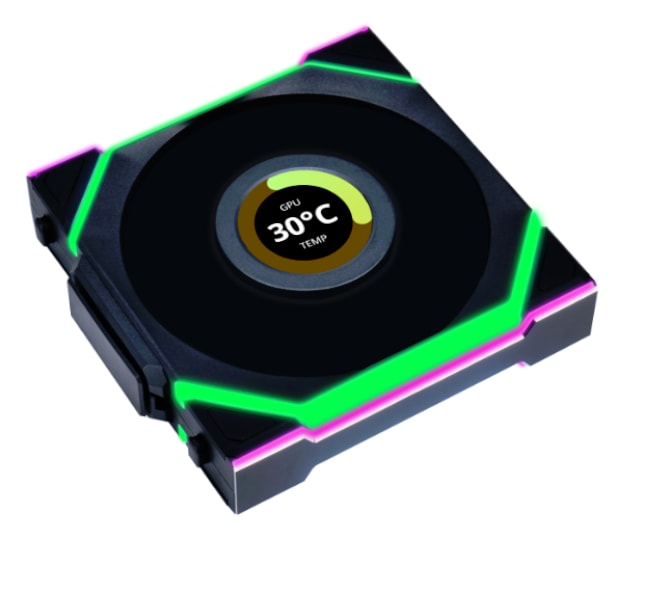
Lian Li UNI FAN SL Wireless 120 Black (1pc)
LIAN LI

Description
• 120mm Fan Size • 4-Pin PWM Connector • 0-2000 RPM Fan Speed • 69.8 CFM Max Airflow • 2.68 mmH2O Max Pressure • 28.5 dB(A) Max Noise
FULL DESCRIPTION
For the serious PC builder in Riyadh who demands a pristine, high-performance rig without the distracting cable clutter, this Lian Li UNI FAN SL is the silent artisan of airflow, ready to elevate your build.
Imagine pushing your overclocked CPU and GPU through a marathon session of Cyberpunk 2077, Modern Warfare III, or FIFA 24 in the sweltering summer heat of Jeddah, yet your system's core components remain remarkably cool. With a powerful 69.8 CFM (Cubic Feet per Minute) airflow and an impressive 2.68 mmH2O static pressure, this fan doesn't just move air; it actively forces intense heat away from critical components like your CPU cooler or radiator. This robust thermal management ensures your hardware maintains consistent boost clocks and avoids any performance-sapping thermal throttling, guaranteeing you uninterrupted peak FPS and stable gameplay, even during the most demanding peak loads.
That advanced Fluid Dynamic Bearing (FDB) isn't just a technical spec; it's the secret to enduring quietness and reliability. Combined with a whisper-quiet 28.5 dB(A) maximum noise level, it means your deep immersion in the game world is never broken by distracting fan hum. You'll hear every crucial in-game sound cue, from enemy footsteps in Valorant to distant gunfire in Warzone, instead of your PC working overtime.
Engineered with robust PBT material and precision, this fan is meticulously built to reliably endure the unique demands of the Gulf's often-warm climate, offering consistent, high-performance cooling and absolute peace of mind for countless hours of intense gaming.
Its innovative, almost "wireless" daisy-chaining design, inherent to the UNI FAN SL series, drastically simplifies the entire cable management process. No more tangled wires or tedious routing; you can effortlessly snap multiple fans together. This not only lets you achieve that ultimate clean aesthetic but also allows for easy expansion of your cooling setup with minimal fuss, making your build experience as smooth as your in-game frame rates.