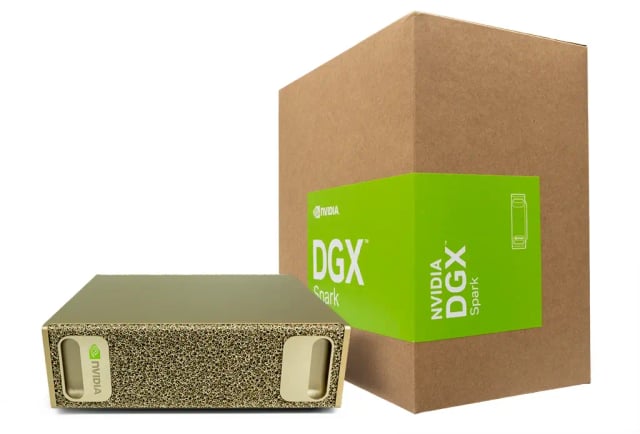
An AI workstation is built to run machine-learning models locally rather than relying entirely on cloud credits. Before choosing a system in Dubai or elsewhere in the UAE, match the hardware to your actual workloads: the size of the models you run, whether you need inference or fine-tuning, and the software stack you depend on.
Start with your AI workload
Identify whether you mainly need inference (running a model), fine-tuning (adapting a model to your data), or full training, plus related tasks such as data preparation, computer vision, or prototyping agents and retrieval pipelines. Inference and light fine-tuning of open models suit a compact personal AI workstation, while large-scale training usually needs multiple GPUs or a cluster. Knowing your workload prevents over- or under-buying.
Unified memory determines model size
For large language models, capacity is usually the limiting factor: the model's weights, context, and working set must fit in memory. A large unified memory pool, shared between the CPU and GPU, lets a single compact system hold models that a conventional desktop graphics card could not. Check the memory figure against the size of the models you plan to run, and remember that quantization reduces the memory a model needs but can affect output quality.
GPU architecture and throughput
The accelerator's architecture and memory bandwidth drive how fast tokens are generated and how quickly training or fine-tuning steps complete. Modern AI-focused silicon such as the NVIDIA Blackwell architecture is designed for these workloads. Rather than relying on a single headline number, compare the exact chip, its memory bandwidth, and how the vendor rates it for the model sizes and tasks you actually run.
Confirm the software stack
Most AI development depends on CUDA, PyTorch, and related libraries, and many systems ship with a prepared stack such as NVIDIA NIM, AI workbench tooling, and a managed OS image. Confirm the frameworks, model formats, and container tools you use are supported out of the box, and whether you can install your own environment. A well-supported software stack saves significant setup time.
Storage, networking, and expansion
Fast NVMe storage keeps large datasets and model checkpoints from becoming a bottleneck. Check available ports, wired and wireless networking, and whether two units can be linked together to pool memory for larger models. Also confirm power and cooling requirements so the system suits a normal office or home environment rather than a dedicated server room.
Compare the whole system within your budget
Look beyond the headline price: compare memory, storage, included software, warranty terms, and local support. A compact AI workstation can be a better fit for prototyping and inference than renting cloud capacity indefinitely, while heavier training workloads may still be more economical in the cloud. Match the purchase to how you will actually use it, and confirm any details that are not listed before ordering.