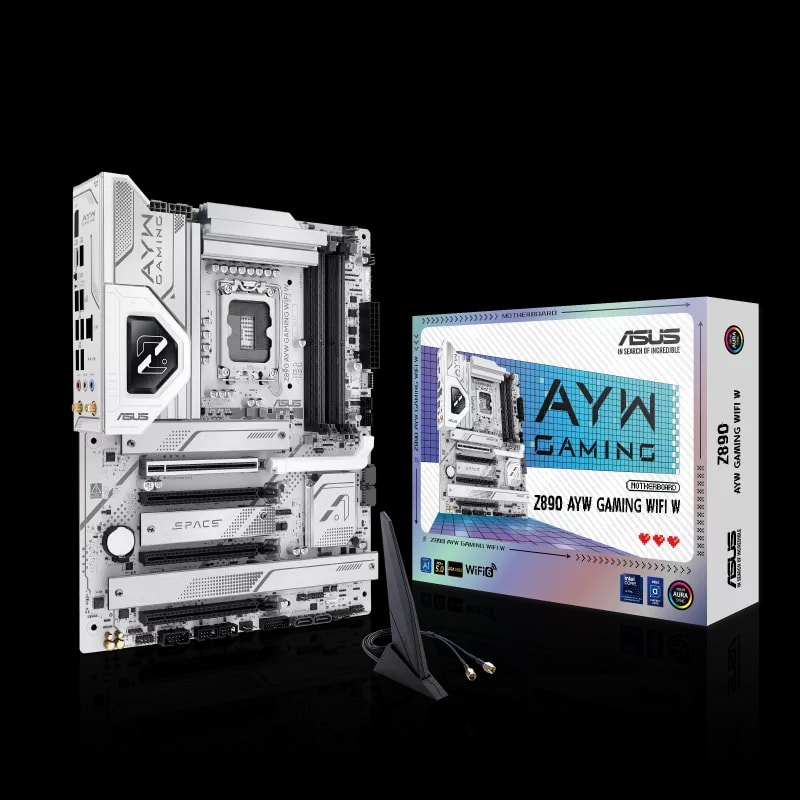
ASUS Z890 AYW GAMING WIFI W Motherboard
ASUS

Description
• LGA1851 Socket (Intel® Core™ Ultra Series 2) • Intel® Z890 Chipset • DDR5 Memory (Max 256GB, up to 9066+ MT/s) • PCIe 5.0 x16 Expansion Slot • 4 x M.2 Slots (incl. PCIe 5.0 support) • ATX Form Factor (12" x 9.6")
FULL DESCRIPTION
For high-end PC builders across the GCC who want to unlock the full potential of Intel® Core™ Ultra platforms, the ASUS Z890 AYW GAMING WIFI W is a strong foundation for a fast, stable, and future-ready gaming setup.
In competitive titles like Valorant and Warzone, consistency matters as much as raw FPS. This motherboard is built to keep your system responsive under pressure, with a next-gen DDR5 design that supports speeds beyond 9066+ MT/s (memory/CPU dependent). That means smoother multitasking, faster asset handling, and better overall system snappiness when you’re gaming, streaming, and running background apps.
For graphics performance, the board’s PCIe® 5.0 x16 slot gives your GPU the bandwidth it needs for modern high-refresh gameplay—helping reduce performance bottlenecks and keeping frame delivery stable when the action gets chaotic.
Where the ASUS Z890 AYW GAMING WIFI W really stands out is its tuning and stability focus. With AEMPIII optimization and a robust power design, it’s built to support sustained boost behavior and smoother frametimes—so you get fewer dips and fewer “random” spikes during intense matches.
Connectivity is also built for competitive play in the region. With integrated Wi‑Fi 6 and a 2.5Gb Ethernet port, you’re equipped for low-latency gaming, fast downloads, and reliable online sessions—ideal for UAE and wider GCC matchmaking.
Designed with long-term ownership in mind, the board offers four M.2 slots for serious NVMe storage expansion—so you can keep your main games, updates, and large files installed without constantly deleting titles to make space.
Built for the demanding conditions of the Middle East, the ASUS Z890 platform is made to deliver dependable performance for daily use, long gaming sessions, and always-on setups—making it a smart choice for builders in Dubai, Riyadh, and across the GCC.
SPECIFICATIONS
Internal I/O Connectors
Special Features
FREQUENTLY ASKED QUESTIONS
If I encounter a BIOS issue during my build, is there local support in the UAE or KSA to help me flash it or troubleshoot?
Will installing this motherboard void my regional warranty if I build the PC myself?
Given the hot climate here, what are the best practices for airflow with this board to prevent thermal throttling?
Is the warranty for this motherboard valid if I bought it in the UAE but moved to KSA or another GCC country?
Does the motherboard include everything I need to mount my M.2 SSDs, or do I need to buy extra thermal pads and screws?
How does the ASUS warranty handle DOA (Dead on Arrival) parts? Do I go to the retailer or the service center?
Frequently Bought Together
Similar Products
Free PC building tools
Plan your build with our free calculators — live prices from our UAE catalog.